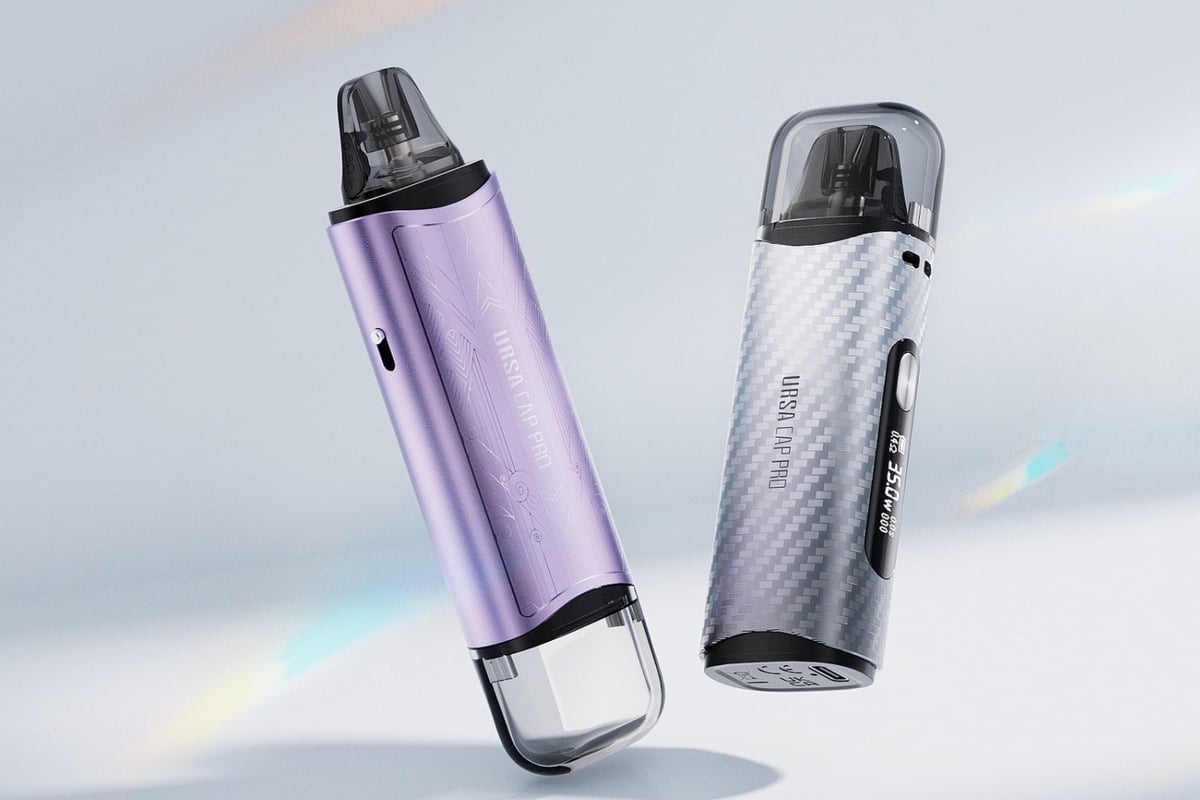
Ursa Cap Pro
A compact MTL and RDL pod kit with a 1200mAh battery, 5 to 35W variable output, and an OLED display, suited to everyday vapers who want adjustable performance in a pocket-friendly device.
Buy this device
Ursa Cap Pro
Set up guide & tips
Filling the Pod
The Ursa Cap Pro uses a top-fill design. Open the silicone tab on the top of the pod, fill with your chosen e-liquid, then close the tab firmly to seal it. The port is straightforward to access and the silicone seal keeps things clean when you carry it in a pocket or bag.
Important: always prime the pod before your first vape. After filling, leave the pod to soak for at least 5 minutes before you take a draw. This lets the e-liquid fully saturate the cotton wicking material. Skipping this step is the most common cause of dry, burnt hits on a new coil, so it is worth the wait.
Which E-Liquid to Use
The Ursa Cap Pro ships with Ursa V3 pods in 0.6 ohm and 0.8 ohm resistance. Both sit above 0.5 ohm, which puts them firmly in MTL and restricted direct-lung territory.
- 0.8 ohm pod: best run at lower wattage, 10 to 18W is a good starting range. Use a 50/50 or higher-PG e-liquid, or a nicotine salt at up to 20mg/ml. The tighter draw suits ex-smokers who want something close to a cigarette-style experience.
- 0.6 ohm pod: handles a slightly more open, RDL draw well. Run it between 15 and 25W. A 50/50 or a salt nic works here too, though you may prefer a 70/30 VG/PG blend if you want a smoother, denser vapour.
UK TPD rules cap nicotine e-liquid at 20mg/ml in 10ml bottles and pods at 2ml, so the Ursa Cap Pro's 2ml pod capacity is fully compliant.
Adjusting Airflow and Wattage
Use the airflow slider to dial in your draw before you start. Tighten it down for an MTL feel or open it up for a looser RDL hit. Wattage is adjusted via the device controls and displayed on the OLED screen alongside battery level and coil resistance. Start low and work upward until the flavour suits you, rather than jumping straight to the upper end of the range.
Charging
Charge via USB-C at 5V/1A. The device also supports a 5V/2A charger for faster top-ups. A 1200mAh battery at this wattage range should see most vapers through a full day between charges.
Specifications
| Specification | Value |
|---|---|
| Size | 20.4x32.4x101.7mm |
| Capacity | 2.5ml/2ml |
| Output Power | 5W-35W |
| Output Voltage | 3.3V-4.2V |
| Battery Type | 1200mAh |
| Charging | 5V/1A, Support 5V/2A Charger |
User manual
Open the official Ursa Cap Pro manual (PDF) in a new tab.
Download PDFFrequently asked questions
Which pods are compatible with the Ursa Cap Pro?
The kit ships with Ursa V3 pods and is compatible with the wider Ursa series pod range. The included pods are 2ml capacity, which meets UK TPD requirements. Check the coil resistance listed on any replacement pod before buying to make sure it fits your preferred vaping style and wattage range.
What e-liquid should I use in the Ursa Cap Pro pod?
Both included pods suit 50/50 e-liquids and nicotine salts. Nic salts at up to 20mg/ml work particularly well for MTL vapers who want a satisfying throat hit without stepping up the wattage. If you prefer a slightly warmer, denser vape on the 0.6 ohm pod, a 70/30 VG/PG blend is worth trying.
Why am I getting a dry or burnt taste from my Ursa Cap Pro?
Almost always a priming issue. Fill the pod, close the silicone tab, and let it sit for at least 5 minutes before vaping. If you have already vaped on an under-primed coil, the wicking material may be partially burnt. In that case, fill the pod, wait 10 minutes, and try a few gentle draws at the lower end of the wattage range to see if it recovers.
What do the on-screen warnings mean on the Ursa Cap Pro?
The OLED display shows four main alerts. "Low Battery" means the battery has dropped below the cut-off threshold and output has stopped, charge the device. "Check Atomizer" means the device cannot detect a pod, reseat or replace it. "Short Circuit" means output has cut off due to a coil or connection fault. "Over 8s" means you held the fire for more than 8 seconds continuously and it auto-cut for safety.
How do I charge the Lost Vape Ursa Cap Pro?
Connect a USB-C cable to the port on the device. It charges at 5V/1A as standard and supports 5V/2A chargers for a faster top-up. Avoid charging with higher-voltage fast chargers not specified for the device, as these can shorten battery lifespan over time.